


How to keep background running on Sony phones
Sony device background optimization issues and solutions
Sony is one of the first manufacturers to adopt custom background process optimization. Its "Stamina mode" will terminate all background processes immediately after being enabled, which may affect the normal operation of the application.
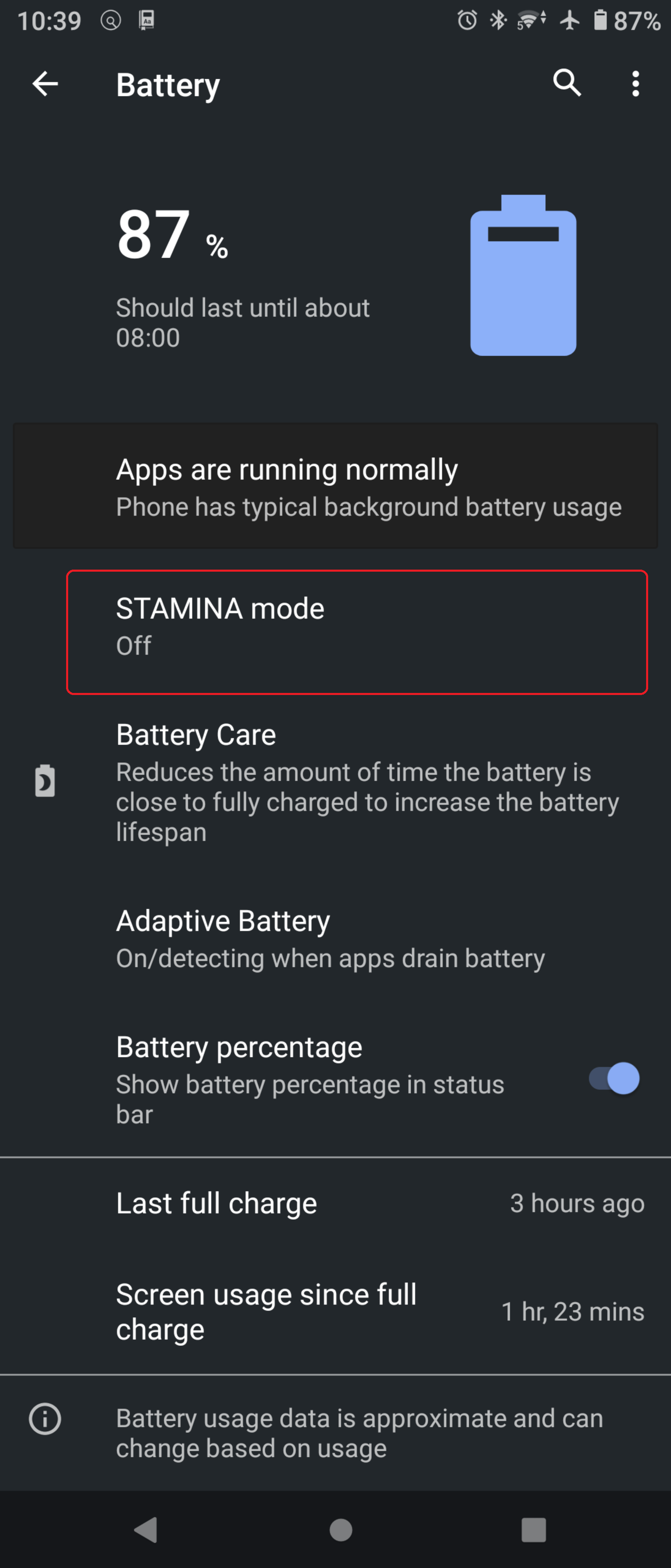
How to disable Stamina mode
- Open "Settings" → "Battery"
- Turn off Stamina mode
Additional settings for Android 11 and above
In addition to Stamina mode, you should also turn off Adaptive Battery:
- Go to "Settings" → "Battery" → turn off "Adaptive Battery"
Exclude Heysocks from power saving feature
- Go to "Settings" → "Apps & Notifications" → "Advanced"
- Click "Special application access permissions" → "Power saving features"
- Find Heysocks in the list and set it to "Exclude"
This ensures that Heysocks and other apps run stably in the background.

